MOR-PLN-089 Version 1 Last Review Date: January, 2025
DevOps
Brief History
Dev ops in general terms consists of the below.
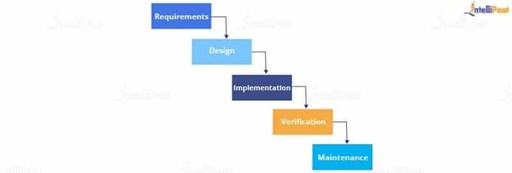
This shows the traditional waterfall method, which is still in use today with many applications. This comes with many drawbacks and important to note
- Testing was done only after the complete development had been done.
- If a client had any feedback, it would take a lot of time and money to rebuild the application.
- It was the best method to follow if the client knew exactly what they wanted without any changes in between. To overcome some of the shortfalls of waterfall, Agile methodology was introduced. Soon after, this method also started to show some shortfalls.
- From developers to clients, everyone had to be in sync in order to proceed with development.
- With no clear vision of the end product, it was difficult to navigate through the right track. Often there would be setbacks which used to lead to delays in development.
- With no proper documentation, it was difficult to trace back or to cross-check. DevOps solution was introduced to plug the holes in the Agile methodology. This brings development and operational teams together working on the same goals.
Azure DevOps
As mentioned, DevOps is a methodology that brings both development and operational teams together for developing and deploying efficient applications and at the same time shortening the development cycle.
Azure DevOps provide many services to enable optimal development and operational collaboration. Those services include :-
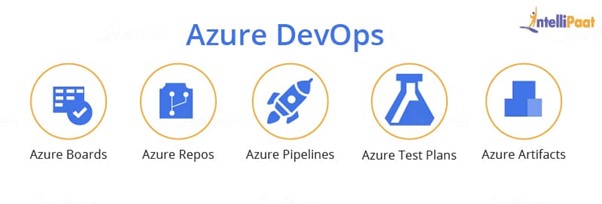
Azure Boards
Azure boards make it easy to track tasks, bugs, and features. There are three main types of work items:
- Epic
- Issue
- Task
An epic work item tracks requirements or features; issue tracks bugs or smaller changes, and task tracks even smaller works done. It is easy to add or update your work status and, with a drag-and-drop feature, you can prioritize your works.
Azure Repos
Azure Repos is a collection of version control tools that are used to manage your code and provides two types of version control:
- Git
- Team Foundation Version Control (TFVC)
Git is a distributed version control system which means that the local copy that you have is a complete repository allowing you to work offline as well. In TFVC, the historical data is kept only on the server since it is a centralized version control system.
Azure Pipelines
Azure Pipeline is a combination of continuous integration (CI) and continuous delivery (CD) which you can use to create and test your code automatically and give access to other users. You can produce consistent and quality code with CI and CD. You can work with programming languages like Python, Ruby, Java, PHP, C#, and Go. To use Azure Pipelines, your source code must be stored in a version control system such as Git.
Azure Artifacts
Azure Artifacts is a store that has all your artifacts that were produced while developing and deploying. In simple terms, Artifacts are executable files, i.e., they do not contain any code. You can use multiple feeds to organize and control access to your packages. Are wondering what a feed is? A feed is a container for packages that helps in consuming and publishing. Azure Artifacts provide a fast, secure, and easy feed of binary packages.
Azure Artifacts ensure that your pipelines are fully integrated package management. You can also create packages like Maven, npm, and NuGet.
Azure DevOps Tools
The following tools are widely utilized:
-
Azure Pipelines: This tool enables the implementation of continuous integration and continuous deployment (CI/CD) processes, facilitating the seamless building, testing, and deployment of applications to diverse platforms and cloud environments.
-
Azure Boards: With this tool, teams can effectively plan, track, and engage in collaborative discussions regarding work items. It provides features like Kanban boards, backlogs, team dashboards, and customizable reporting to enhance productivity and transparency.
-
Azure Monitor: This tool offers comprehensive observability capabilities, allowing users to gain valuable insights into the performance of their applications, infrastructure, and network. It facilitates monitoring, diagnostics, and troubleshooting to ensure efficient operations.
-
Visual Studio: This integrated development environment (IDE) is specifically designed for creating robust and scalable applications intended for Azure. It offers a rich set of features and tools to enhance the development experience and streamline application deployment.
-
Azure Kubernetes Service: This service provides a managed Kubernetes environment in Azure, enabling developers to deploy, scale, and manage containerized applications effortlessly. It simplifies the orchestration and management of containers, allowing for efficient application scaling and resource utilization within Azure.
Azure DevOps (CMMS)
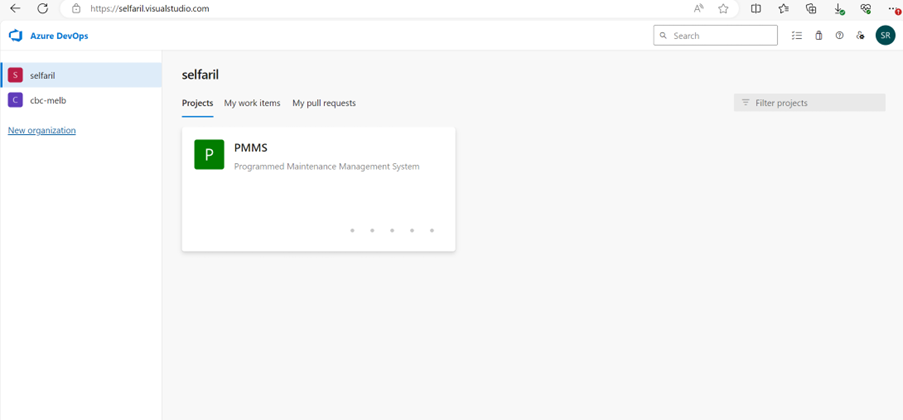
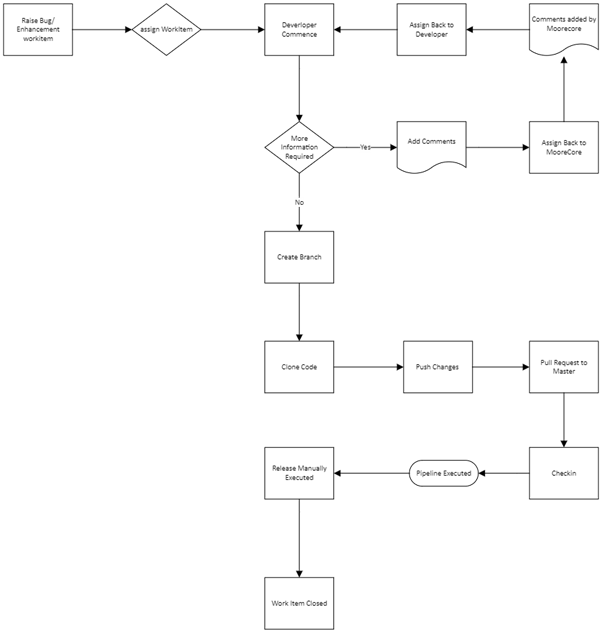
Bug / Enhancement Flow
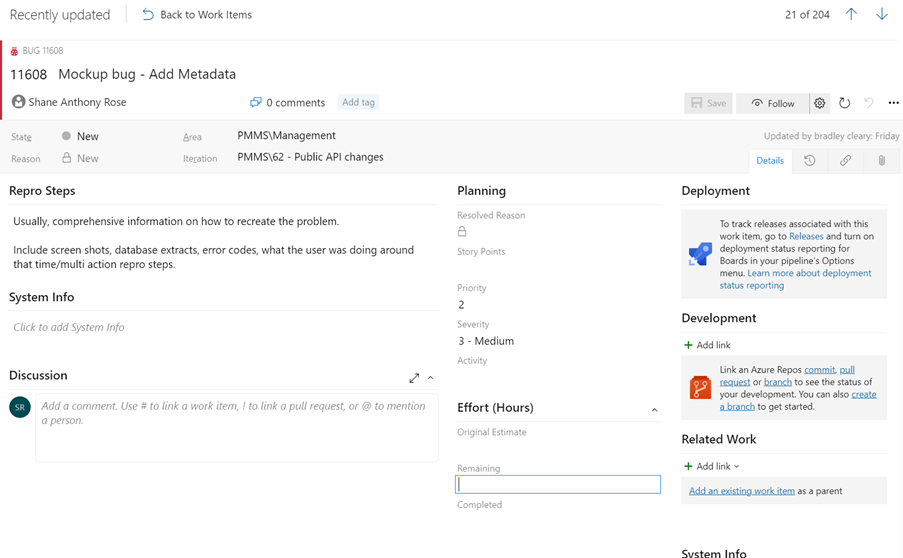
DevOps Work Item
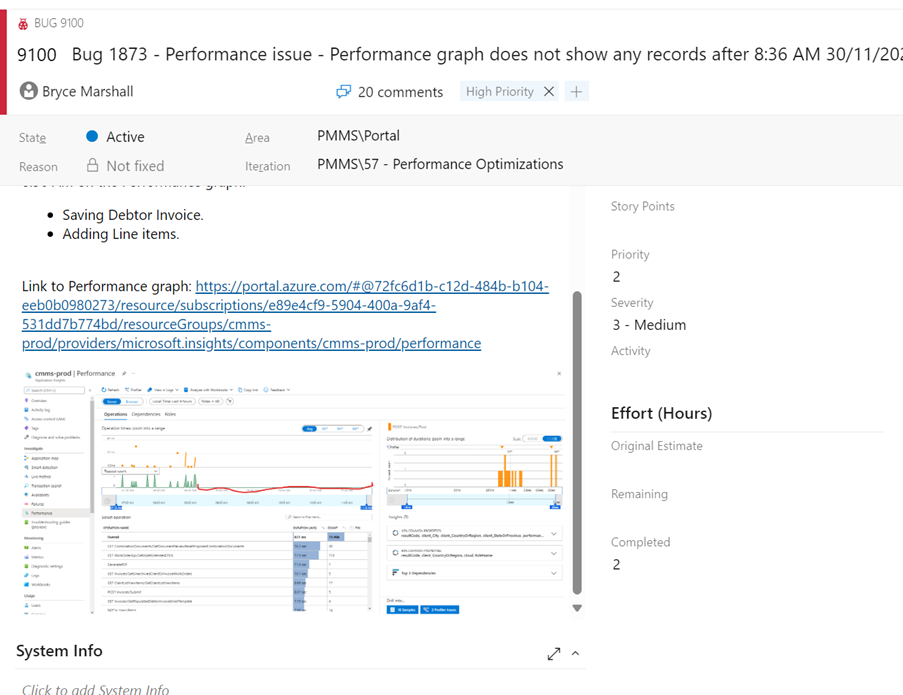
As you can see below, this depicts a typical Work Item in Azure Dev Ops. It is important to mention that mandatory fields will need to be filled. Screen captures and instructions on how to reproduce the bug is of most importance in order to have the developer correct the issue in a speedy fashion. Work Items will also usually have a reference back to a Freshdesk ticket.
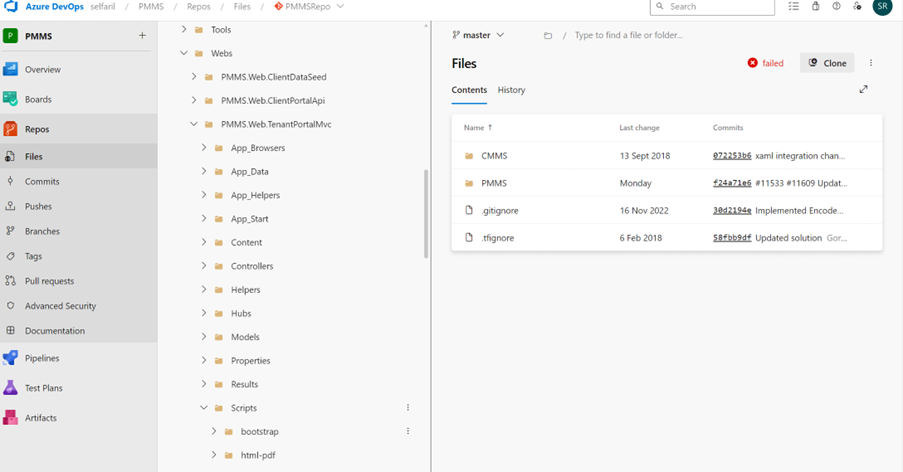
Repositories
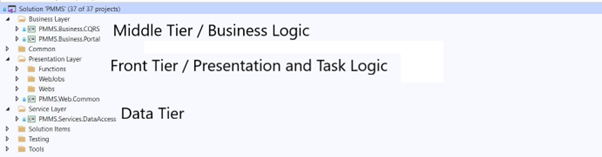
Complete architecture of the CMMS environment can be viewed Azure Architecture Schematic (add link)
Generated Documentation
CMMS has been built around the (M)odel (V)iew (C)ontroller methodology. The View or frontend has been developed using Angular(TypeScript) and the Backend or Controller is built in .net(C#). Frontend For the frontend or CX, we have generated the documentation using Compodoc. https://compodoc.app/guides/getting-started.html (opens in a new tab)
To ensure the documentation is kept up to date, it is required as a programmer that you continually maintain the inline documentation in the code that is being changed. This link will give you all the tags that can be used for compodoc, https://compodoc.app/guides/jsdoc-tags.html (opens in a new tab)
The most important and mandatory 1 line is the use of link which will give minimum description of the change but more importantly a link to the DevOps workitem number.
Backend
The backend, we have generated the documentation using DocFX. The below links will give more information . https://dotnet.github.io/docfx/ (opens in a new tab) https://learn.microsoft.com/en-us/shows/on-net/intro-to-docfx (opens in a new tab)
Basic Concepts
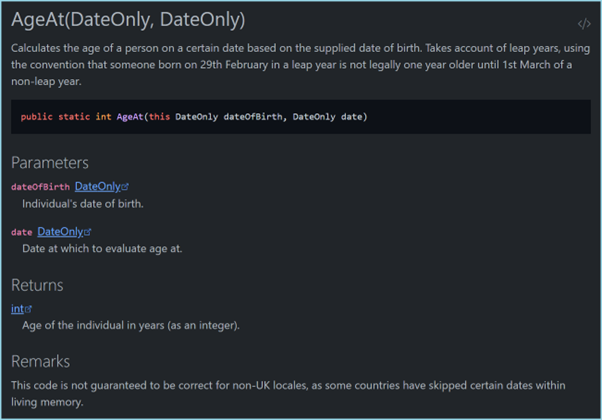
Docfx is a powerful tool but easy to use for most regular use cases, once you understand the basic concepts. Docfx can be used as a static site generator, but the real value of the tool is in bringing together static documentation pages and .NET API documentation. For Example ,
    /// <summary>
    /// Calculates the age of a person on a certain date based on the supplied date of birth.  Takes account of leap years,
    /// using the convention that someone born on 29th February in a leap year is not legally one year older until 1st March
    /// of a non-leap year.
    /// </summary>
    /// <param name="dateOfBirth">Individual's date of birth.</param>
    /// <param name="date">Date at which to evaluate age at.</param>
    /// <returns>Age of the individual in years (as an integer).</returns>
    /// <remarks>This code is not guaranteed to be correct for non-UK locales, as some countries have skipped certain dates
    /// within living memory.</remarks>

    public static int AgeAt(this DateOnly dateOfBirth, DateOnly date)
    {
        int age = date.Year - dateOfBirth.Year;

        return dateOfBirth > date.AddYears(-age) ? --age : age;
    }
can be used to generate output like this:
Recommendations
Own Azure Environment
Migrate CMMS into CBC Owned Azure environment. This would require planning and take some months to execute, but the benefits would be worth the investment. This would ensure continuity and security of the CMMS environment.
Environment landscape
Currently there is no formal Development, Quality and Production environment. Having a structured environmental landscape would help the organization prepare for multiple developers and operational staff working coherently.
An environment is a collection of resources that you can target with deployments from a pipeline. Typical examples of environment names are Dev, Test, QA, Staging, and Production. An Azure DevOps environment represents a logical target where your pipeline deploys software. Environments provide the following benefits. Benefit Description
Deployment history Pipeline name and run details get recorded for deployments to an environment and its resources. In the context of multiple pipelines targeting the same environment or resource, deployment history of an environment is useful to identify the source of changes.
Traceability of commits and work items View jobs within the pipeline run that target an environment. You can also view the commits and work items that were newly deployed to the environment. Traceability also allows one to track whether a code change (commit) or feature/bug-fix (work items) reached an environment.
Diagnostic resource health Validate whether the application is functioning at its wanted state. Security Secure environments by specifying which users and pipelines are allowed to target an environment. While an environment is a grouping of resources, the resources themselves represent actual deployment targets.
Approvals
Manually control when a stage should run using approval checks. Use approval checks to control deployments to production environments. Checks are available to the resource Owner to control when a stage in a pipeline consumes a resource. As the owner of a resource, such as an environment, you can define approvals and checks that must be satisfied before a stage consuming that resource starts. For more information, see https://learn.microsoft.com/en-us/azure/devops/pipelines/process/approvals?view=azure-devops (opens in a new tab) The Creator, Administrator, and user roles can manage approvals and checks. The Reader role can't manage approvals and checks.
Extra Information in Work Item
For planning and cost perspective, we should have the developer populate the estimated hours. This will be particularly important when performing enhancements.
System Software upgrade
The current Angular version used is v11. This is not supported and hasn’t been for some time. My recommendation is to upgrade to the latest LTS Version in order to remain current and have support.