VENDING Version 1 (WIP) Last Review Date: August, 2024
Documentation Overview
covers:
Landing Zone Vending
Overview
Landing Zone Vending is the process of preparing and creating all the required Azure and Azure DevOps objects to support the hosting of a workload
A landing zone name has two components, system and environment (dev, test, demo, prod) seperated by an single quote eg. morecore-dev where the system is morecore and environment is dev
Access
- Access to this site is for members of the MoreCore team, and permitted subcontractors.
- Access is controlled via
miq-mgmt
- A container must be created in the
stomiqmgmaus002apetstorage account - To create, clone the appropriate containers node in
mig-mgmt/lz_containers.tfterraform - Ensure the name property is set to
lz-(landing zone name)-tfstate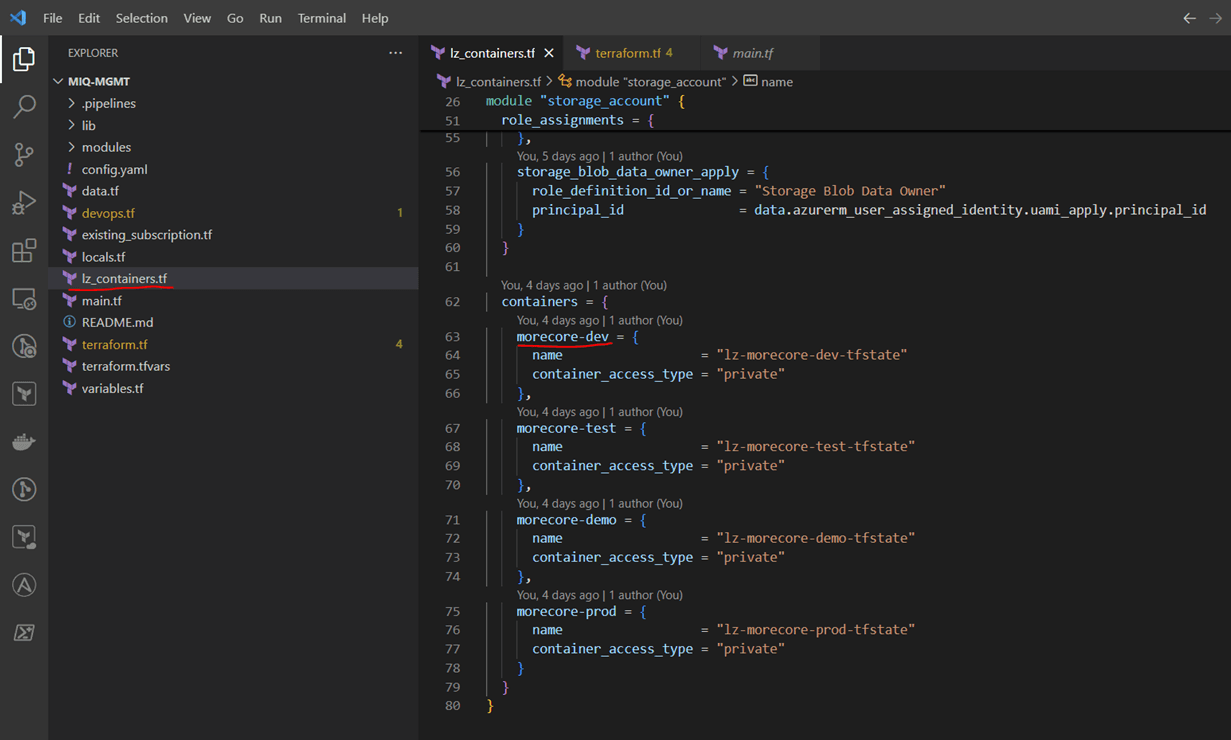
Landing Zone Variable Group
- The Azure DevOps process supporting the landing zone require a unique variable group to specify the terraform state container.
- In Azure DevOps, navigate to the More IQ Landing Zones variable groups library (opens in a new tab)
- Duplicate an existing landing zone variable group eg
miq-lz-morecore-dev - Rename variable group to
miq-lz-(landing zone name) - Ensure
BACKEND_AZURE_RESOURCE_GROUP_NAMEis set torg-miq-mgmt-state-australiaeast-002 - Ensure
BACKEND_AZURE_STORAGE_ACCOUNT_NAMEis set tostomiqmgmaus002apet - Set
BACKEND_AZURE_STORAGE_ACCOUNT_CONTAINER_NAMEto the container name from the previous step;lz-(landing zone name)-tfstate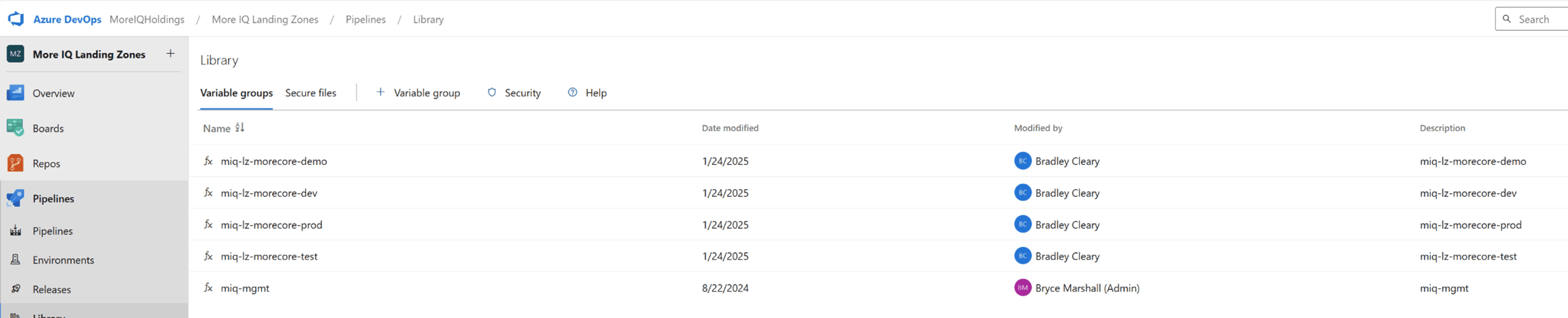
Landing Zone Repos
- Each landing zone requires a repo named
miq-lz-(landing zone name)under the More IQ Landing Zones Project (opens in a new tab) - Create the landing zone repo and then add files from
miq-lz-more-core-dev - Edit the values in `config.yaml'
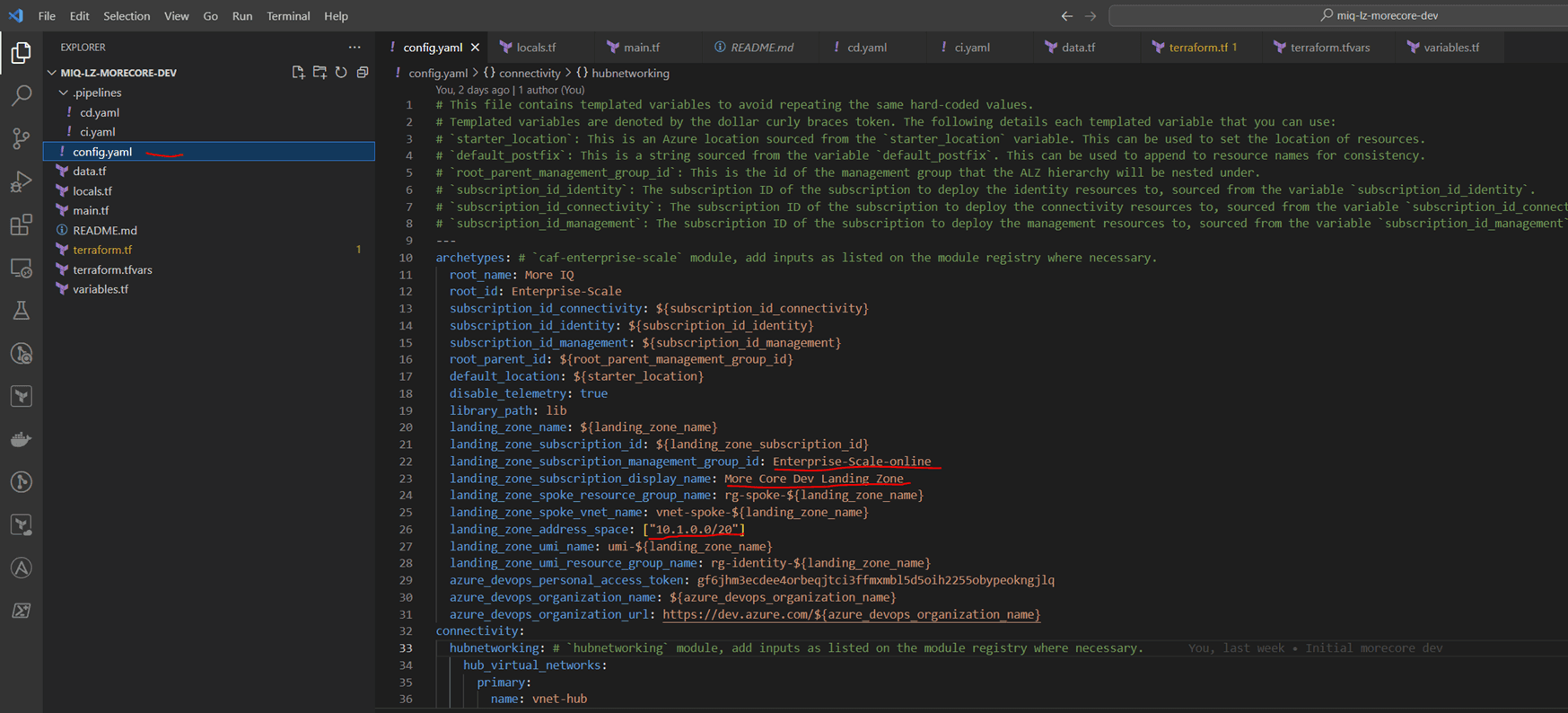
- Edit the value in
terraform.tfvarsfiles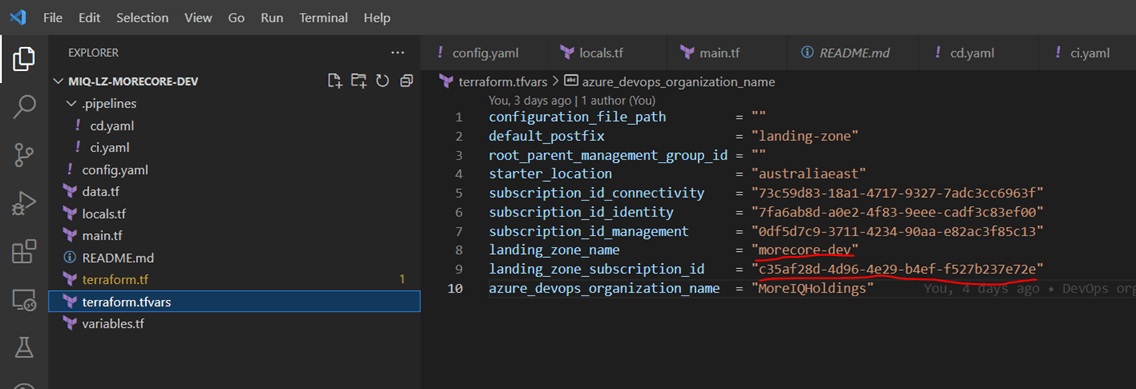
- Edit the varible group property in the
miq-lz-(landing zone name)/.pipelines/ci.yamlandmiq-lz-(landing zone name)/.pipelines/cd.yamlfiles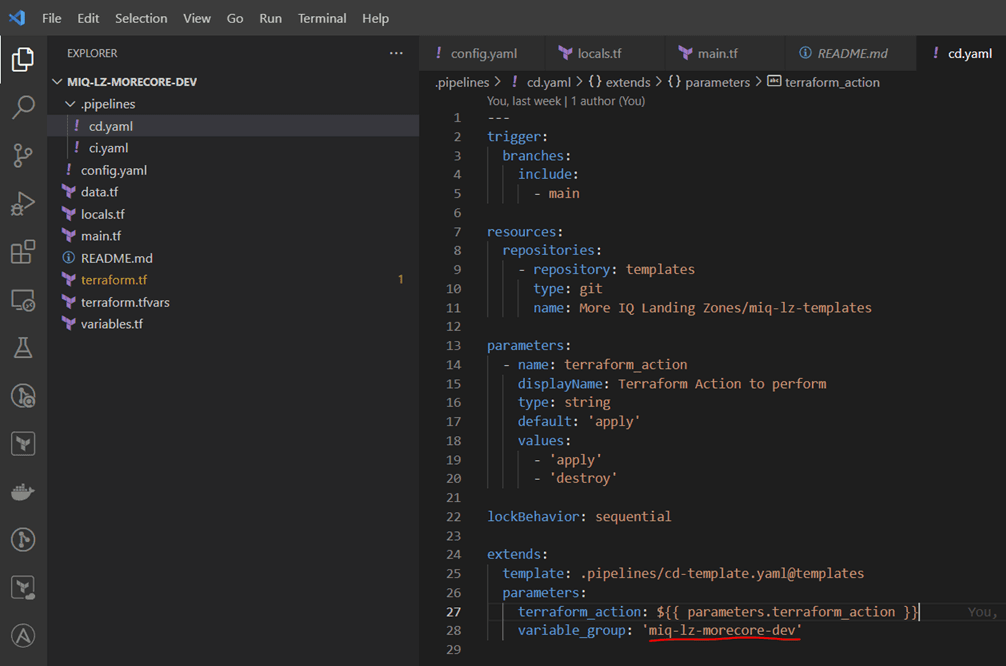
Landing Zone pipelines
- Navigate to the Azure DevOps Piplines for More IQ Landing Zones Project (opens in a new tab)
- Create a folder
miq-lz-(system). Under this folder create a folder for each(environment) - Under the appropriate enviornment folder, create 2 pipelines, one for
miq-lz-(landing zone name)/.pipelines/ci.yamland one formiq-lz-(landing zone name)/.pipelines/cd.yaml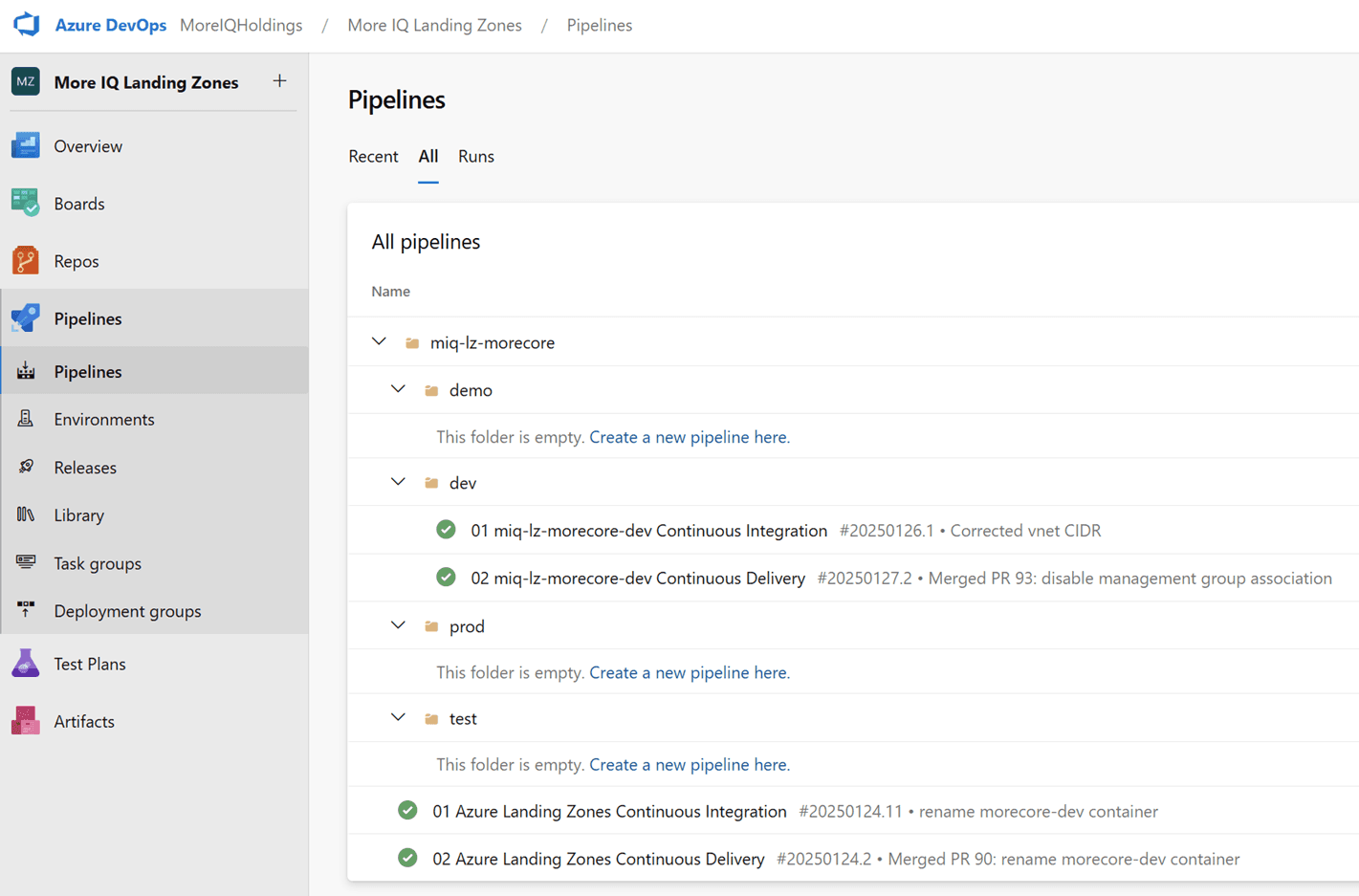
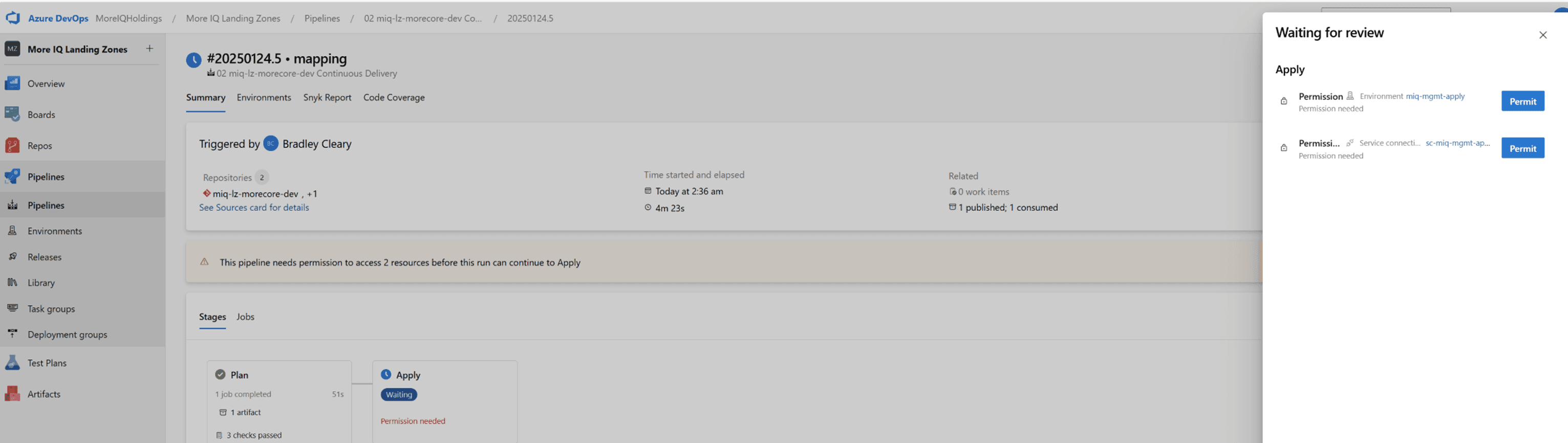
- NOTE: On first execution of the pipeline, 2 approvals will be required for the plan and apply identities
Vending a complete stack
- Description of vending a devops pool
- Description of vending subscriptions
- Description of vending an Azure DevOps project, consuming the devops pool and deploying to the vended subscriptions.