MOR-PROC-037 Version 1 Last Review Date: May, 2025
Database Scaling
Process Overview
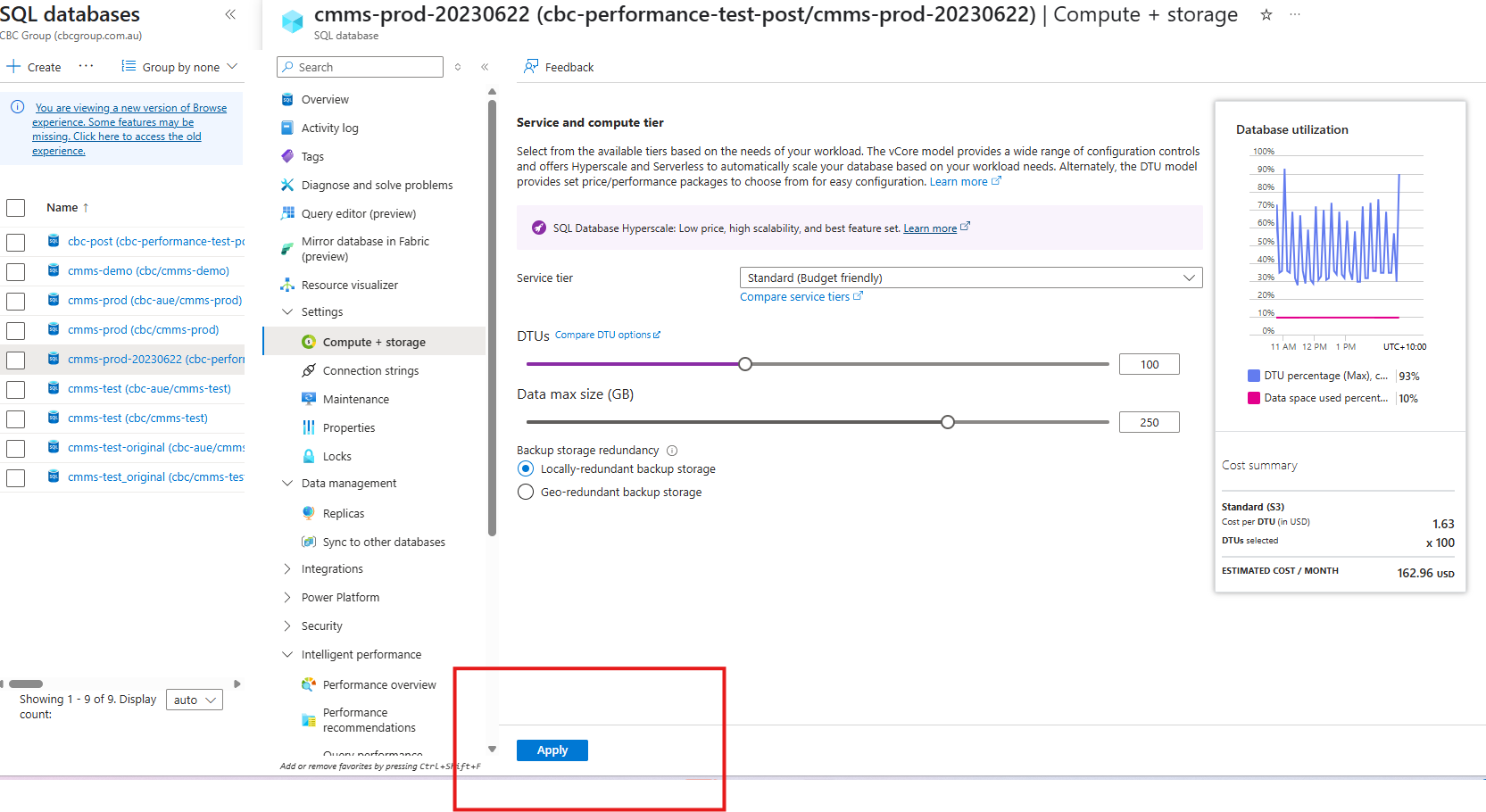
- Azure database costings are set as DTU (Database Transaction Unit) based. In order to reduce our costs, we need to reduce the number of DTU's we allocate when we are not using or there is minimal traffic. ie. Overnight.
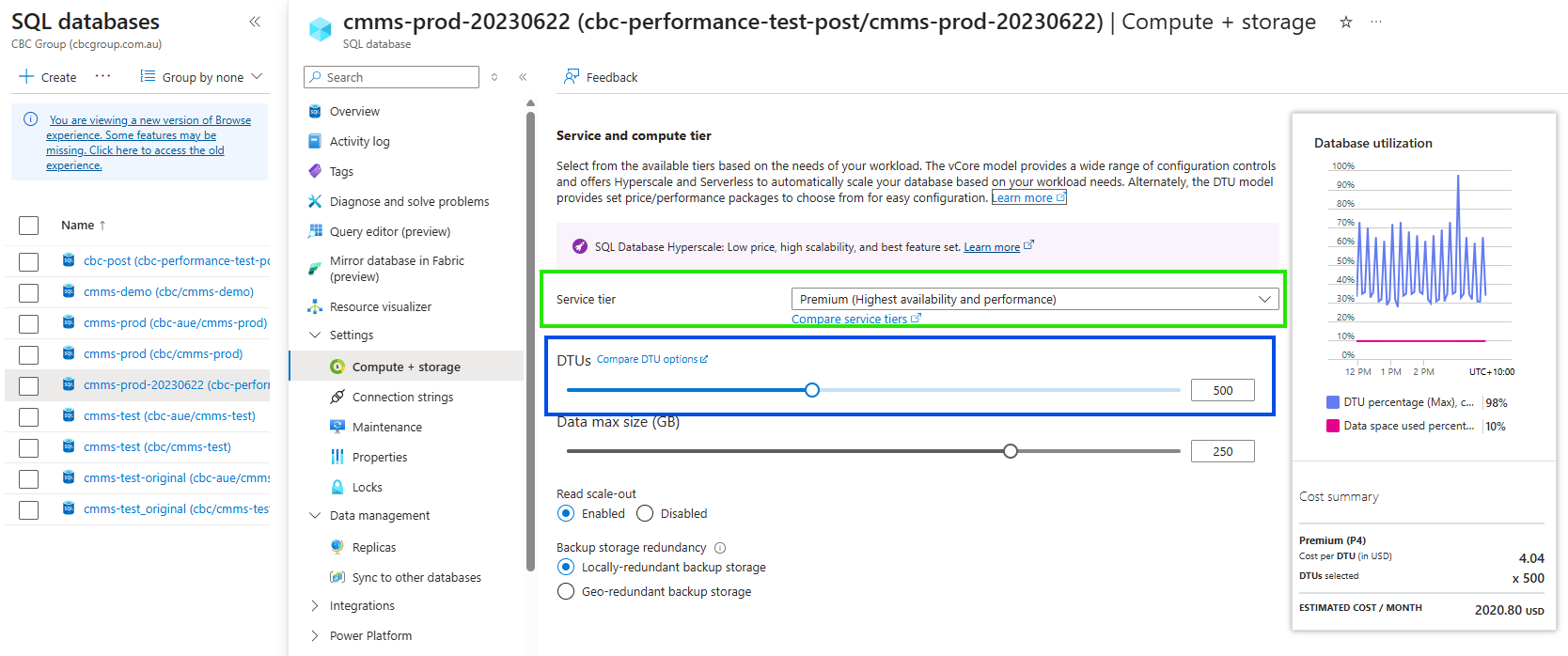
The current cmms-prod-20230622 (cbc-performance-test-post/cmms-prod-20230622) (opens in a new tab) database has been setup on the premium service tier. This limits the Upper and Lower limits we can set and by how much.
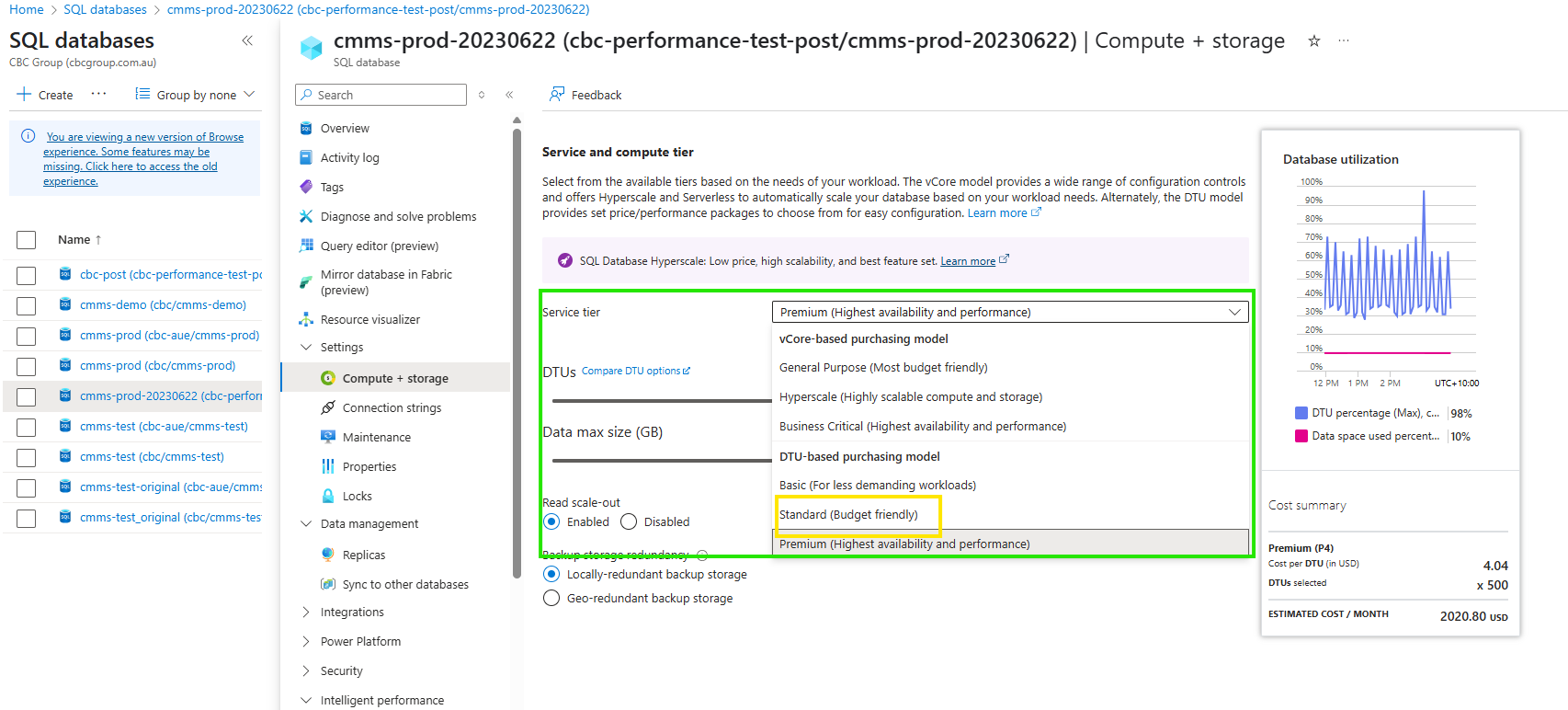
In the first instance, the service tier to be set to Standard (Budget Friendly).
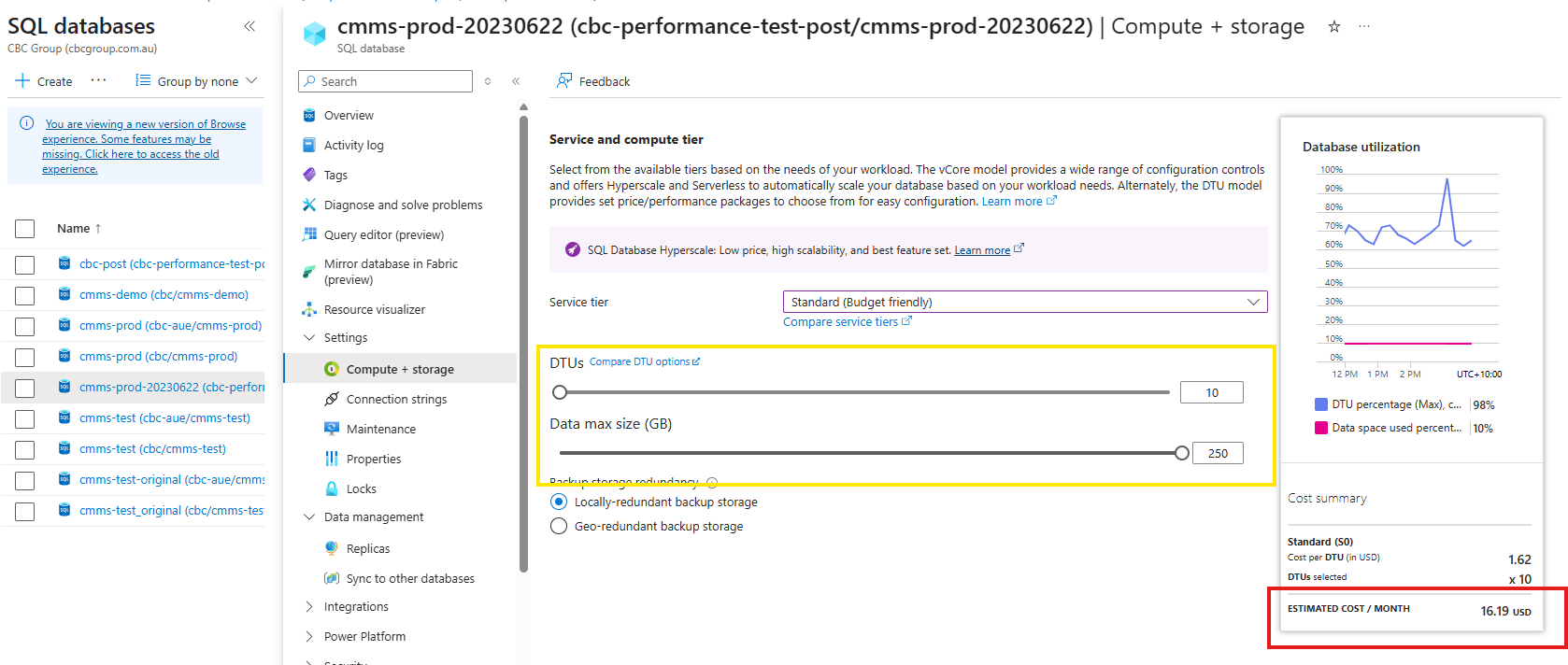
Once the service tier has been set, we would like to set the DTU's using the following schedule.
| Schedule | Action |
|---|---|
| Daily @ 5:00pm | Set DTU's to 10 |
| Adhoc (As needed) | Set DTU's to 200 |
Method
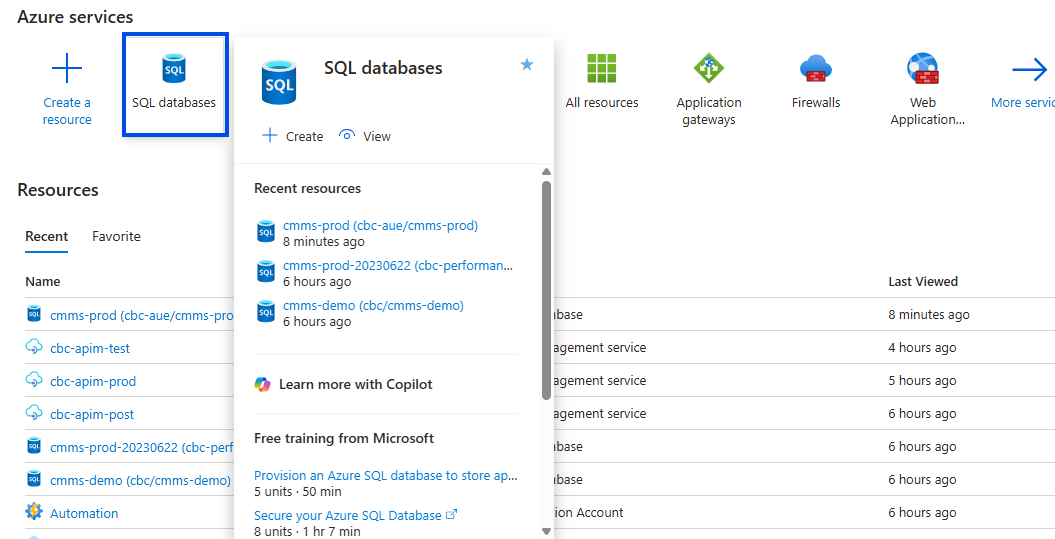
Select Database Resource in the Azure Portal
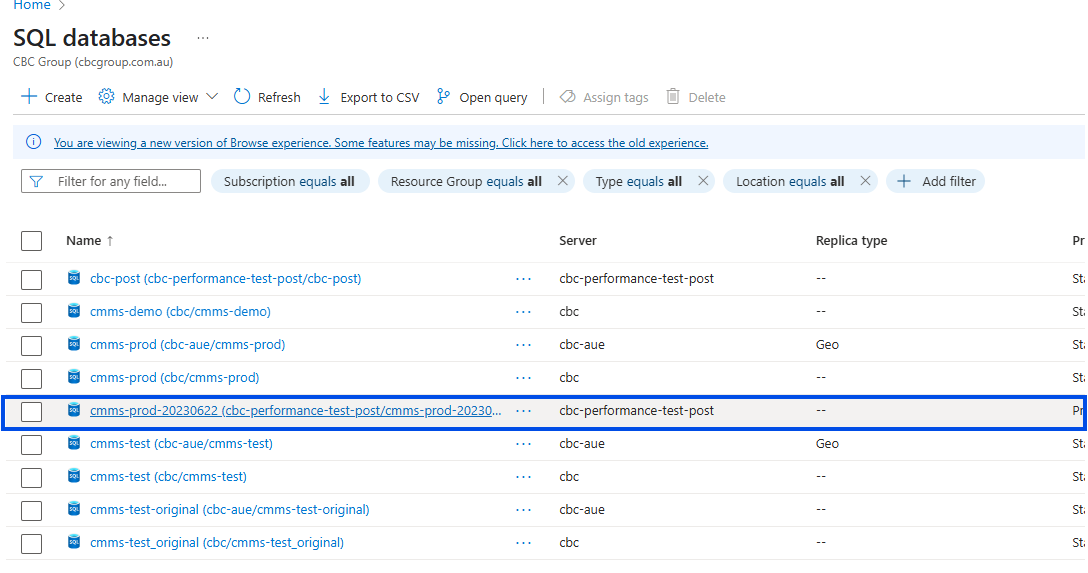
Select the cmms-prod-20230622 (cbc-performance-test-post/cmms-prod-20230622) Database
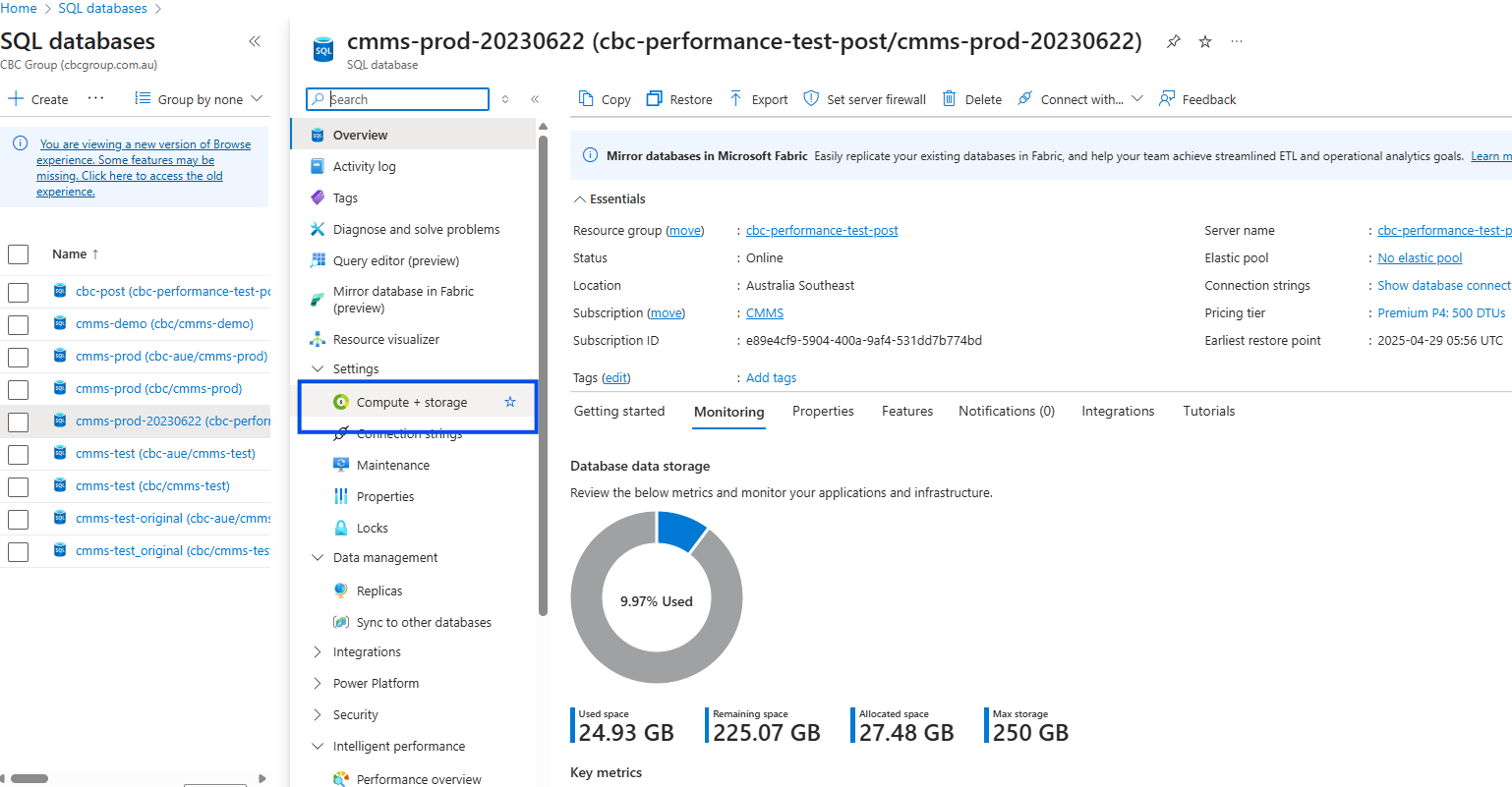
Select the Compute and storage Menu on the left
Service and Compute Tier Details
- You should now be able to see the details of the Service tier and the DTU settings.
- As mentioned above, the service tier setting will influence the upper and lower limts of DTU settings
- Ensure that the service tier is set to Standard (Budget Friendly)
Set the desired DTU's
- use the slider to select the desired number of DTU's.
- Review Schedule and Recommended DTU settings
- It is important and recommended that the Data max size does not change. In the example shown, this is 250, and what ever tier you select, and DTU's, please ensure this value remains.
Click Apply Changes